DRUG SCREEN (SALIVA), POINT OF CARE
Saliva Drug Screen (Point of Care)
TIPSHEET
This guide provides step-by-step instructions for ordering a Point of Care Saliva Drug Screen Test for patients using the Athena EMR system. Follow the steps below to ensure the correct test is ordered.
Ordering Saliva Drug Screen (POC) within the Session Note
1.) In the Session Note, under Progress Note click on (+) Diagnoses & Orders in the Assessment & Plan to initiate the order.
A.) After selecting the Urine Drug Screen (POC), now you will have to add the diagnosis. 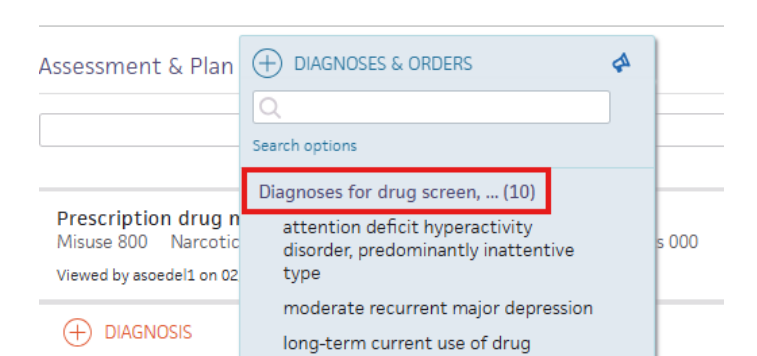
3.) Click on the "Drug Screen, Saliva" to expand.
a.) Providers that are collecting the samples and have received the results, will document results in the Urine Drug Screen and select "Discussed with patient".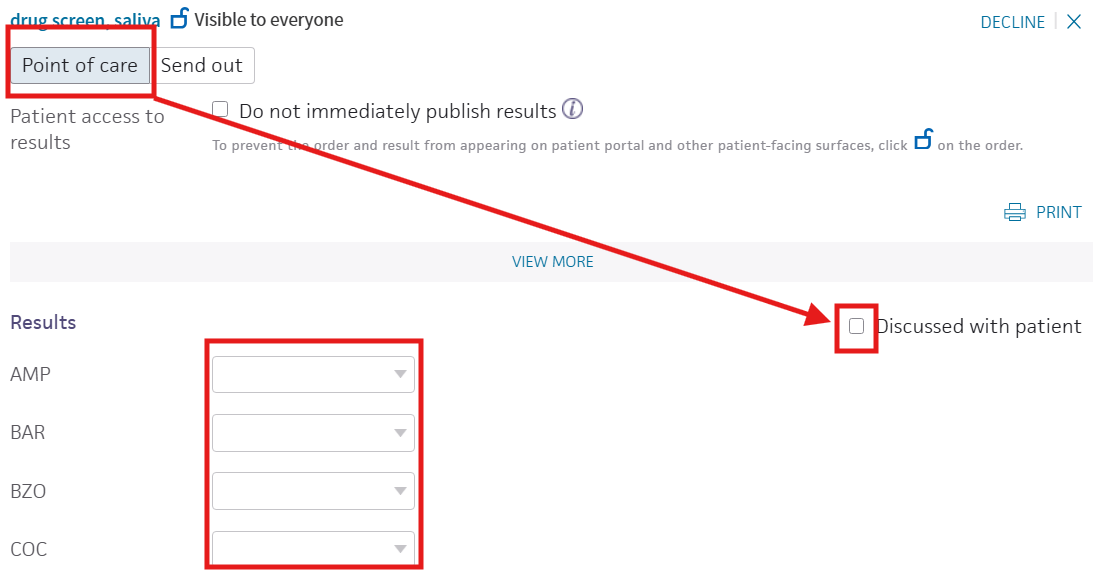
b.) Once the results have been documented by the provider, the provider will scroll down to document the "Specimen Collection".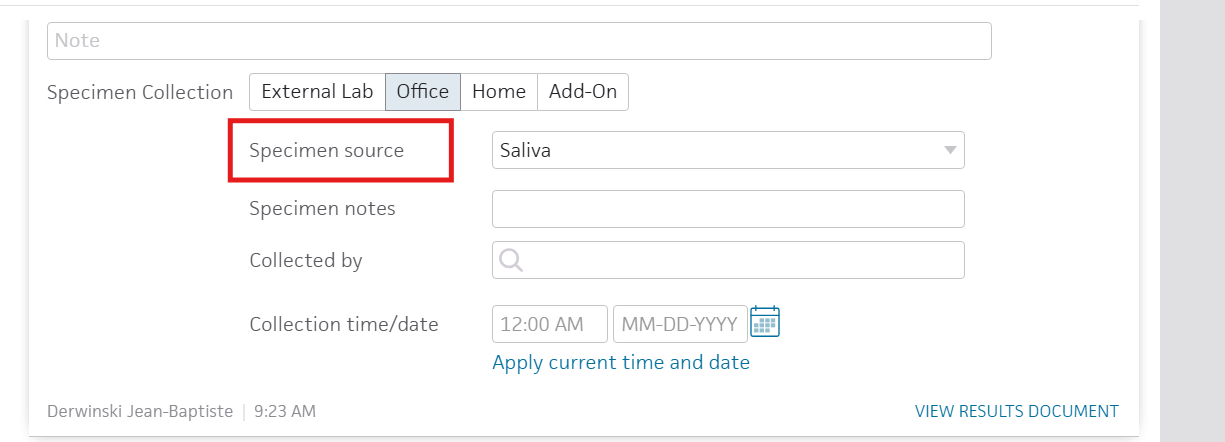
c.) Provider will now sign the order
After signing Order, provider will then select "View Document results"
Result Document will populate and provider will select "Data Entry Completed" Then Select Save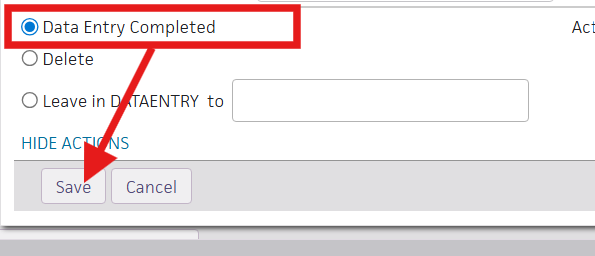
Provider will then select one of the following options below regarding the results then select "Save"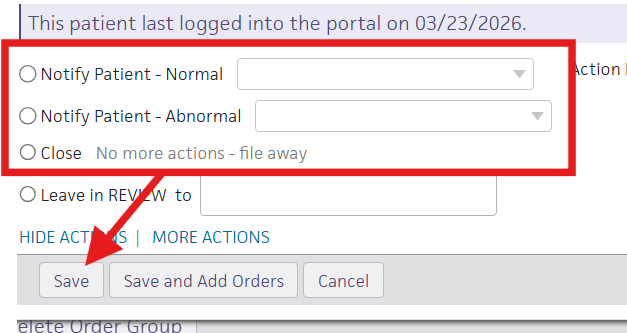
Related Articles
Urine Drug Screen (Point of Care)
Urine Drug Screen (Point of Care) TIPSHEET This guide provides step-by-step instructions for ordering a Point of Care Urine Drug Screen Test for patients using the Athena EMR system. Follow the steps below to ensure the correct test is ordered. ...Labcorp Psychiatry Test List
Please see the attached PDFs for Labcorp's: 1) List of psychiatry tests/codes 2) Medication-Assisted Treatment Monitoring Test ComponediumScreening Workflow in Kyruus and Athena
Patient workflow for completing screenings: 1. Patients will receive screenings in the Kyruus Previsit automated at the following cadence: PHQ-9 Every 2 weeks GAD-7 Every 2 weeks Absenteeism/Presenteeism Questionnaire Every Visit C-SSRS Yearly ...High Acuity Intervention and Response Checklist
Criteria for a Patient Case to generate: Patient has a PHQ-9 of 15+ (Either imported from our check in vendor or manually entered in the “Screening” section of the exam). Positive result of PHQ-9 question #9 “Thoughts that you would be better off ...Doxy.me Guide
Doxy.Me Guide Logging into Doxy.me 1. Access Doxy.me via the icon on your desktop, the hamburger button in Athena, or by going to https://geodehealth.doxy.me/sign-in using Chrome. If it's your first time logging in, select "SSO Sign-In". 2. You may ...